
Cloud POS vs. Traditional POS: Which System Fits a Small Business?
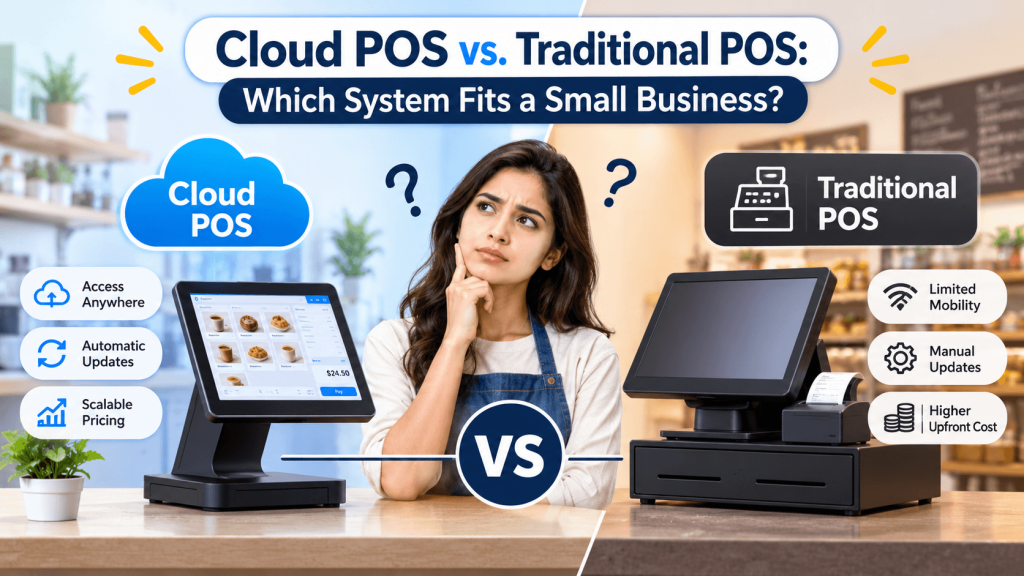
For most small shops, cafés, and service counters, a cloud-based point-of-sale system offers easier updates, remote reporting, and lower upfront costs. A traditional on-premises system still makes sense for some businesses that need to keep running without internet or want full control over their data and hardware.
The right choice depends on how you sell, how reliable your internet is, and who will maintain the system. Here is how the two options compare in day-to-day use.
How the Two Systems Differ
A cloud POS stores sales data on the provider’s servers. Owners can check sales, inventory, and staff activity from a phone or laptop anywhere. Updates install automatically, and most providers charge a monthly subscription plus payment processing fees.
A traditional POS runs on local servers and terminals inside the business. It often costs more upfront for hardware and licenses, but it may not depend on an internet connection for core functions. Updates and backups are usually the owner’s or reseller’s responsibility.
Cloud and On-Premises POS at a Glance
- Upfront cost: cloud systems usually cost less to start; traditional systems often require larger hardware and license purchases.
- Ongoing cost: cloud systems carry monthly fees; traditional systems may need paid support contracts and occasional upgrades.
- Internet outages: many cloud systems offer offline modes with limits; traditional systems keep core functions running locally.
- Reporting: cloud dashboards are available anywhere; traditional reports are often limited to the office computer.
- Integrations: cloud systems tend to connect more easily with online ordering, loyalty, and accounting tools.
Plan the Switch Carefully
Schedule a POS change during a slower week, and run the old and new systems side by side for a day if possible. Train staff before launch so lines do not back up on day one.
Questions to Ask a POS Reseller
Ask what happens during an internet outage, how long offline sales are stored, and how card payments are handled when the connection drops. Ask who owns your sales data and how you can export it if you switch providers.
Review payment processing terms carefully, including rates, contract length, and early termination fees. Confirm the system supports PCI DSS requirements for card security and whether hardware is purchased or leased.
Before requesting quotes, browse point-of-sale resellers on Directory Villa and shortlist two or three that can demonstrate both setups in person. Comparing two or three providers there makes it easier to get honest quotes on both cloud and traditional setups.
Match the System to How You Sell
Cloud POS systems suit most small businesses that value remote access and easy updates, while traditional systems still fit operations that cannot depend on internet access. Compare total costs, outage plans, data ownership, and processing terms before signing, and use Directory Villa to find local resellers who can demonstrate both.
Frequently Asked Questions
Many cloud POS systems offer an offline mode that stores sales locally and syncs them later, but features may be limited and some card transactions can carry extra risk while offline. Ask each provider exactly how offline mode works and how long it can store transactions.
It can be for businesses that keep the same hardware for many years and need few updates, but support contracts and upgrades add up. Compare five-year totals, including hardware, licenses, support, processing fees, and replacement costs, rather than upfront price alone.
Terms vary by provider. Many allow businesses to export sales, customer, and inventory data, but formats and limits differ. Read the service agreement and ask how to export your history before signing, since switching later is easier when data ownership is clear.
PCI DSS is the security standard for businesses that accept card payments. A compliant POS and processor help protect cardholder data. Businesses still have responsibilities, such as secure passwords and network settings, so ask providers what they handle and what remains with you.